Framing Your Plug Walk AI Filter Video for Vertical Platforms
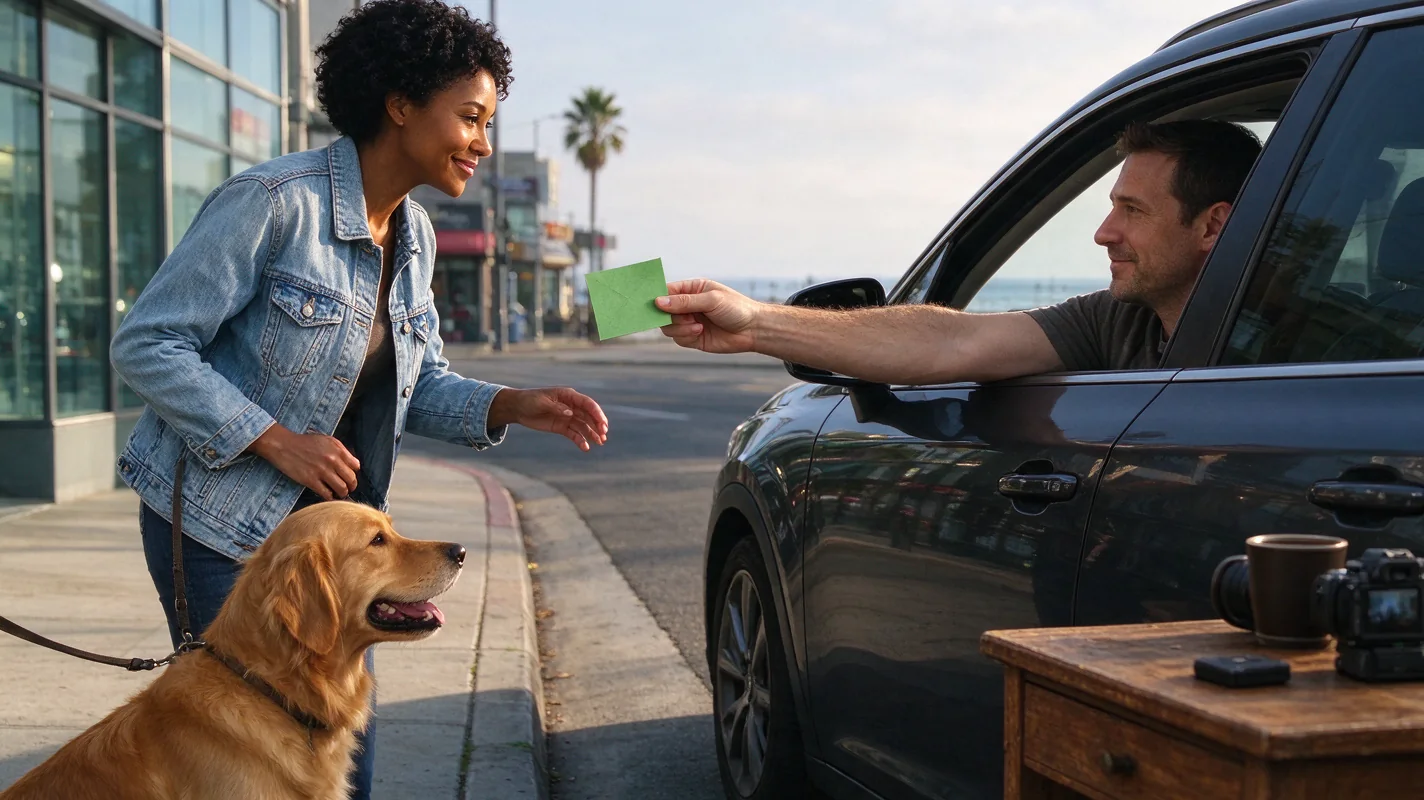
The Plug Walk AI Filter is designed for the dynamic world of short-form vertical video, commonly found on platforms like TikTok, Instagram Reels, and YouTube Shorts. To maximize impact, careful framing is essential. The AI generates a 9:16 aspect ratio MP4, which is ideal for these platforms. However, the content within that frame needs strategic consideration. The core visual element is a "car-window scene, driver's-window POV." This means the camera perspective is looking out from inside a stationary car, with the action happening outside. The AI's default output includes a "driver's-window POV, one dollar friendly tip, grin, step back, loose bent-knee side-to-side walk." Understanding this scene is key to effective framing.
Compositional Elements:
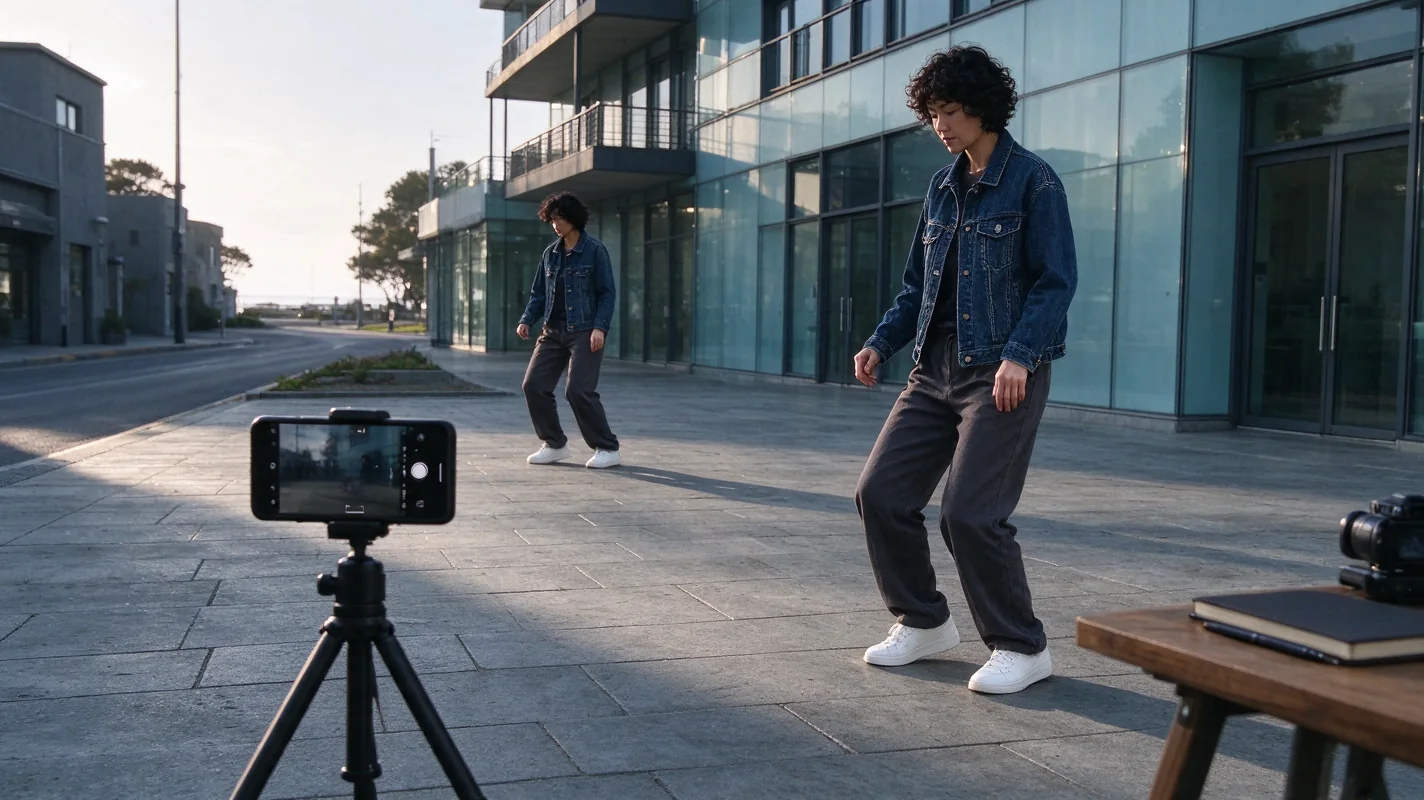
- Subject Placement: The "plug walk" itself – the person or pet performing the walk – should be the primary focus. Given the driver's-window POV, the subject will likely appear in the lower half or center of the frame as they perform their side-to-side motion. Ensure they are not too close to the edges where they might be cropped by different platform UIs or viewer devices.
- Background: The "stationary car at sunset" provides a backdrop. The sunset implies warm lighting and potentially a gradient sky. The car interior, visible from the driver's-window POV, forms the foreground. Ensure that elements within the car interior (like the dashboard or side mirror) don't obscure the main subject or become distracting.
- Safe Margins: Most vertical video platforms overlay UI elements such as play buttons, progress bars, usernames, and captions. These elements can obscure parts of your video. It's crucial to keep key visual information and the subject away from the very bottom and top edges of the 9:16 frame. The "safe zone" is generally considered to be within the central 80% of the screen. For the Plug Walk AI Filter, this means ensuring the "walk" and any facial expressions (like the "grin") are clearly visible within this central area.
- Visible Feet: A "plug walk" inherently involves foot movement. For the visual to be effective, especially if you're aiming for a stylistic or trend-based video, ensure the subject's feet are visible during the walk. The driver's-window POV might naturally frame the subject from the waist up, so consider how the AI interprets the "step back" and "side-to-side walk" to ensure foot visibility without awkward cropping.
Camera Angle Considerations:
While you don't control the AI's camera angle directly, you can influence the output through your input. The "driver's-window POV" is fixed. However, the AI generates a "newly generated prompt-driven car-window scene." This implies that the AI interprets the prompt to create the scene. If your prompt emphasizes the full body or lower body movement, the AI might adjust the framing accordingly. However, the default output suggests a mid-shot or slightly wider view is more probable. The "step back" action is also important; ensure the prompt implies enough space for this movement within the generated scene.
The "One Dollar Friendly Tip" Element:
This is a specific AI-generated element. It's a visual cue that might appear as a hand gesture or an object. Its placement within the frame should not distract from the main subject. If it's a hand gesture, ensure it's clear and doesn't obscure the face or the "walk." If it's an object, ensure it's positioned naturally within the scene.
Crafting Engaging Captions for Plug Walk AI Filter Videos
Captions are your opportunity to add context, personality, and a call to action to your Plug Walk AI Filter video. For platforms like Reels and Shorts, captions should be concise, attention-grabbing, and relevant to the visual content. Avoid generic or spammy language. Focus on authenticity and encouraging interaction.
Key Caption Strategies:
- Hook Your Audience: Start with a question, a relatable statement, or a bold claim that immediately draws viewers in. For example, "When the beat drops and the vibe is right..." or "POV: You're just trying to get your steps in."
- Describe the Vibe: Use descriptive language that complements the visual. The AI generates a "stationary car at sunset" with a specific walk. Your caption can enhance this mood. Words like "golden hour," "chill vibes," "cruising," or "night drive" can set the scene.
- Incorporate Keywords and Hashtags: Use relevant keywords naturally within your caption and strategically employ hashtags to increase discoverability. Think about what people would search for. For the Plug Walk AI Filter, relevant hashtags might include #PlugWalkAI, #AICreations, #VerticalVideo, #SunsetVibes, #CarVibes, #AIArt, #DigitalArt, #ContentCreation, and trending challenge-related tags if applicable.
- Call to Action (CTA): Encourage engagement. Ask viewers to share their thoughts, tag a friend, or try the filter themselves. Examples: "What song would you put on for this vibe?" "Tag someone who needs this chill moment." "Try this AI filter and show me your walk!"
- Platform-Specific Nuances: While the goal is platform-neutral storytelling, be aware that each platform has slightly different best practices for caption length and hashtag usage. Generally, shorter, punchier captions perform well on TikTok and Reels, while Instagram captions can be longer if the content justifies it.
Original Caption Examples:
Here are a few examples tailored for the Plug Walk AI Filter, focusing on different angles:
Example 1 (Focus on Vibe):
Golden hour glow and a smooth AI-generated stride. ✨ This filter captures that perfect sunset chill. What's your go-to sunset jam? Let me know below! 👇 #PlugWalkAI #SunsetVibes #AICreations #CarWindowPOV #ChillMode
Example 2 (Focus on the AI Process):
Watching the AI bring this prompt to life! 🚗💨 A unique "plug walk" scene generated from scratch. Loving the creative possibilities. Have you tried it yet? #AIArt #DigitalCreation #PlugWalkFilter #PromptDriven #CreativeTech
Example 3 (Humorous/Relatable):
Me trying to look cool while the AI does all the work. 😎 This car window scene is giving me life! Anyone else feel this energy? #AIFilter #PlugWalk #FunnyAI #ContentCreator #SunsetDrive
Example 4 (Direct & Engaging):
Step into the vibe. 🚶♂️💨 The new Plug Walk AI Filter creates a unique sunset scene with a signature walk. Share your creations! #PlugWalkAI #ReelsTrend #ShortsVideo #AICommunity #GetCreative
Worked Example: Creating a "Plug Walk" Reel
Scenario: You want to create a short, engaging Reel using the Plug Walk AI Filter. You have a photo of your pet, a golden retriever, that you wish to use.
Step 1: Prepare Your Input.
- Image Selection: Choose a clear, well-lit photo of your golden retriever. Ensure the photo is of a consenting adult pet (as per the tool's requirements). A photo where the dog is looking towards the camera or slightly to the side, with good visibility of its body, would be ideal. Let's assume you have a JPG file named
golden_retriever_sunset.jpgthat is under 10MB. - Understand the Output: Remember the AI will generate a 12-second, 9:16 MP4 video. The scene will be a "stationary car at sunset, driver's-window POV." The AI will add a "one dollar friendly tip, grin, step back, loose bent-knee side-to-side walk." For a pet, the "grin" might be interpreted as a happy expression, and the "walk" will be an AI-generated motion.
Step 2: Access the Tool and Upload.
- Navigate to the Plug Walk AI Filter website (https://plugwalkaifilter.pro).
- Log in using your OTP email.
- Select the "Standard Seedance 2.0" option.
- Upload your
golden_retriever_sunset.jpgfile to the designated input area.
Step 3: Generate the Video.
- Confirm your selection and initiate the generation process. This will cost 30 credits.
- Wait for the AI to process your request. The output will be a 720p MP4 video.
Step 4: Review and Download.
- Once generated, review the 12-second video. Check if the AI's interpretation of the "walk," "grin," and "tip" works well with your pet's image. Pay attention to how the pet's body moves and if the framing is appropriate for vertical video.
- Download the MP4 file. There will be no watermark on the paid output.
Step 5: Craft Your Caption for Instagram Reels.
- Video Title/Hook: "Golden Hour Zoomies, AI Edition! 🐶☀️"
- Caption Body: "Who knew my dog could pull off the "plug walk"? This AI filter is wild! Loving this sunset car-window vibe. What do you think of his AI moves? Let me know!"
- Hashtags:
#PlugWalkAI #DogsofAI #GoldenRetriever #AICreations #PetAI #SunsetVibes #ReelsFun #VerticalVideo #DogReels
Step 6: Upload to Instagram Reels.
- Upload the downloaded MP4 file to Instagram Reels.
- Paste your crafted caption.
- Consider adding trending audio if the AI-generated instrumental beat doesn't fit your vision (though the AI provides an original instrumental beat).
- Post your Reel.
Illustration Note: This example explicitly describes the process based on the provided facts. The AI's output, particularly regarding pet motion and expression, is variable. The "grin" might appear as a panting expression, and the "walk" will be an AI interpretation. The "one dollar friendly tip" element might be a subtle hand gesture or absent depending on AI interpretation.
Practical Checklist for Plug Walk AI Filter Usage
| Feature/Aspect | Consideration | Action/Notes |
|---|---|---|
| Input Type | Photo (JPG/PNG/WebP <=10MB) of adult/pet, or text description. | Ensure photo is clear, well-lit, and meets size/format requirements. Text prompts need to be descriptive. |
| Generation Model | Standard Seedance 2.0 only. | No other versions (Fast, Mini, 2.5) are available. |
| Output Format | Default 12-second, 9:16, 720p MP4. | Optimized for vertical platforms like Reels/Shorts. |
| Scene Generation | New prompt-driven car-window scene (stationary car, sunset, driver's POV). | AI creates a unique scene; not a copy of reference video motion. Focus is on the generated prompt. |
| Core Actions | "One dollar friendly tip, grin, step back, loose bent-knee side-to-side walk." | AI interprets these actions; exact likeness/timing not guaranteed. |
| Audio | Original instrumental beat provided. | No licensed commercial music included. |
| Cost | 30 credits per generation. No free credits, trials, or previews. | Purchase credits before generation. See Plug Walk AI Filter Cost. |
| Login/Security | OTP email login only (no passwords, no Google). | Keep your email access secure. |
| Privacy | Inputs private; results private by default. Public sharing is opt-in and subject to editorial selection. | Understand privacy settings before sharing. See Plug Walk AI Filter Privacy. |
| Credit Management | One-time credits never expire. Monthly/yearly credits expire at end of billing period. Cancellation stops future renewals. | Plan credit usage accordingly. |
| Refunds/Errors | Failed tasks return credits. No automatic cash refunds. | Contact support if credits are not returned after a failed task. |
| Watermarks | No watermark on paid output. | Purchase is required before generation to remove potential watermarks (though facts state no watermark on paid output). |
| Platform Optimization | 9:16 aspect ratio is ideal for Reels, Shorts, TikTok. | Frame subjects within safe margins to avoid UI overlays. Ensure key elements (feet, face) are visible. |
| Captioning Strategy | Hook, describe vibe, use keywords/hashtags, include CTA. | Tailor to platform and content. See Plug Walk AI Filter Prompt for prompt ideas that can inform captions. |
Comparison and Diagnostic Section: Ensuring Optimal Output
When using the Plug Walk AI Filter, understanding potential variations and how to address them is key. The AI's interpretation of prompts and images can lead to different results. Here’s a diagnostic approach:
- Problem: Facial Features / Likeness Issues: The AI "never guarantee[s] exact likeness." If the generated face or expression (like the "grin") is not as expected, this is a known limitation. Solution: Try a different input photo or refine a text prompt if you are using one. Focus on prompts that emphasize clear facial visibility. Reviewing Fix Plug Walk AI Face/Hands might offer insights, though specific fixes are not guaranteed.
- Problem: Motion is Stiff or Unnatural: The "loose bent-knee side-to-side walk" is AI-generated. If the motion appears robotic or doesn't match the subject's natural movement, this is expected variability. Solution: Experiment with different input photos or text prompts. Sometimes, a photo with a clearer indication of posture or movement can influence the AI. For pets, expect more stylized AI interpretations. See Plug Walk AI Filter Cat/Dog for pet-specific considerations.
- Problem: Framing Issues (UI Overlap): The 9:16 output might have key elements obscured by platform UI. Solution: Ensure your subject and primary action are centered within the frame. Avoid placing critical details too close to the top or bottom edges. Plan your caption placement to avoid covering important visual cues.
- Problem: Audio Mismatch: The AI provides an "original instrumental beat." If this doesn't fit your desired mood, you might need to replace it. Solution: Download the AI-generated video and edit it in a separate video editor to overlay your preferred audio track. See Plug Walk AI Filter Music for more on audio.
- Problem: Unexpected "One Dollar Tip" Element: This is a specific AI output. If it appears awkwardly or distractingly, it's part of the AI's interpretation. Solution: If possible, try to guide the AI's scene generation through your prompt (if using text) or by selecting an input photo that might implicitly suggest a certain context. However, direct control over this specific element is limited.
Comparison: Compared to manual editing tools like CapCut, the Plug Walk AI Filter automates complex motion and scene generation. While CapCut offers granular control, the AI filter provides a unique, prompt-driven creative shortcut for specific effects. See Plug Walk AI Filter vs. CapCut for a detailed comparison.
Frequently Asked Questions (FAQs)
Q1: Can I use a video file as input for the Plug Walk AI Filter?
No, the tool currently accepts only one photo (JPG/PNG/WebP <=10MB) of a consenting adult or pet, or text describing an original subject. Video input is not supported based on the provided facts.
Q2: Does the Plug Walk AI Filter guarantee viral success or exact likeness?
No. The AI "never guarantee[s] exact likeness, timing, viral reach or successful output." Results are variable, and success depends on many factors including the input, the AI's interpretation, and your platform strategy. Focus on creating unique content rather than chasing guaranteed virality.
Q3: How does the "15-second payment prompt countdown" work?
The "15-second payment prompt countdown" is not a generation process. It is a prompt displayed before payment and generation begin, likely to confirm the user's intent and credit deduction. The actual generation occurs after payment and processing.
Q4: Can I share my generated Plug Walk AI Filter video publicly?
Yes, your inputs are private, and your results are private by default. However, you have the option to opt-in for public sharing. The platform may also select content for editorial purposes. You control the decision to make your output public.
Get Started with Your AI Creation
Ready to explore the creative potential of AI-driven video generation? Use the Plug Walk AI Filter to craft unique content for your social media channels. Experiment with different inputs and discover new ways to tell your story.
Try the tool from this guide
One photo or text idea. The default 720p, 12-second video costs 30 purchased credits. Failed tasks return credits.
Make your Plug Walk AI video
The car-window scene is already prepared. Add only the details that matter to you.
This video: 30 credits · 720p · 12 seconds
Choose one photo or enter at least 10 characters, then confirm permission to continue.
Paid generation only. See the exact credits before you start.
Plug Walk AI Filter
Plug Walk AI Filter editorial team · Editorial guidance based on the current product settings.